主题
异步获取数据列表并完成渲染-使用actions与module(Lesson12 2/3)
本页对应 Lesson12,共 6 段视频,约 1 小时 33 分。
学习目标
- 能够使用 Vuex 的
actions调用异步接口获取数据,并通过commit提交mutation更新state,完成数据列表渲染。 - 能够使用
mapState、mapGetters、mapMutations、mapActions简写 TodoList 中状态、计算属性、同步方法和异步方法的调用。 - 能够说明组件挂载后通过
dispatch触发 action、action 请求接口、mutation 更新状态、视图重新渲染的完整数据流,并能在代码中定位各环节。 - 能够按业务拆分 Vuex
modules,并在组件中正确访问模块状态、调用模块内的mutation和action。 - 能够使用 Vue Router 配置一级与嵌套路由,实现带导航的页面切换,并为无导航登录页单独配置路由。
- 能够根据“未登录跳转登录页”的业务要求,在添加商品、加入购物车等操作中完成基础路由跳转与访问控制验证。
知识点
本节要解决的问题:把异步请求从组件搬进 actions
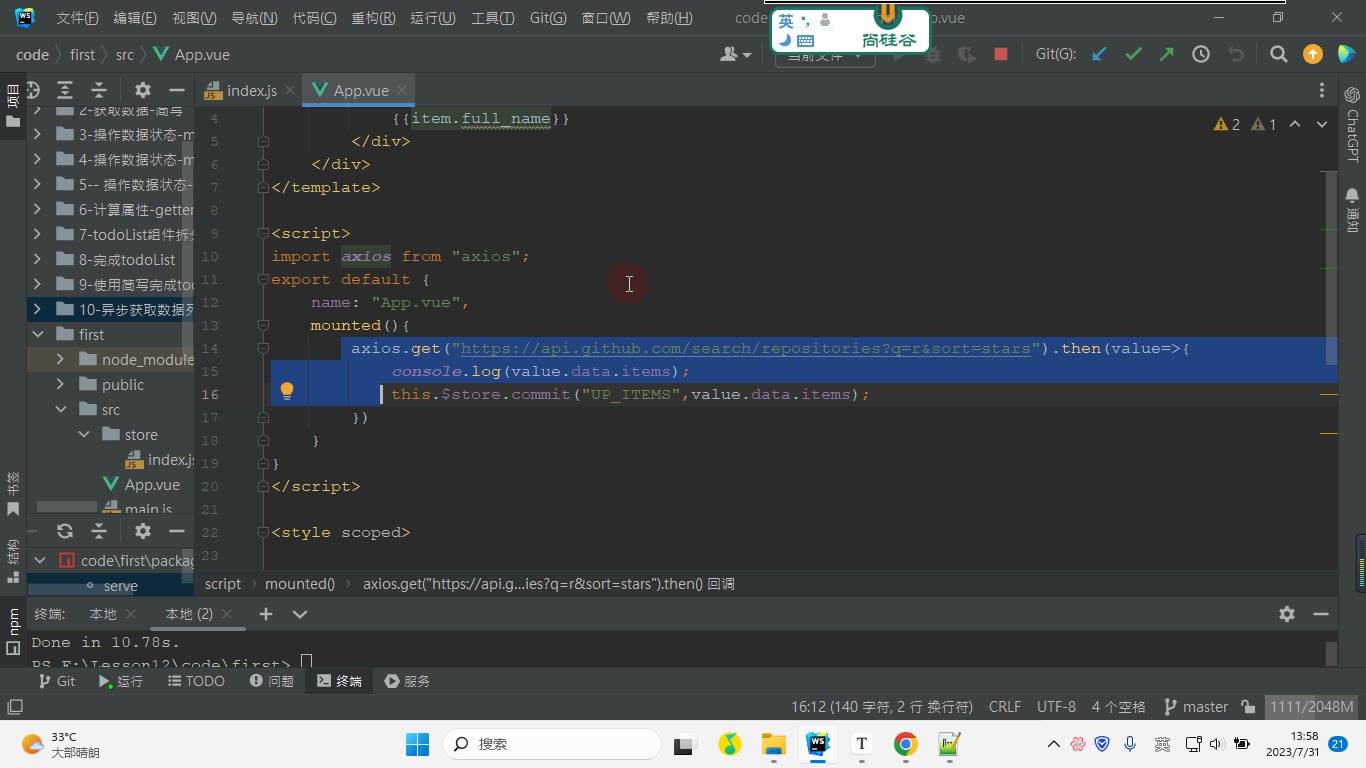
为什么需要:如果像之前那样,在组件 mounted 里直接写 axios.get,请求成功后再 commit 更新 Vuex 状态,那么一旦别的组件也要获取同一份列表,就得把这段异步逻辑再复制一遍。Vuex 的 actions 就是用来集中管理“异步行为”的:组件只负责触发,真正请求数据和提交 mutation 的过程放在 store 里。
怎么想:转写稿里反复强调的流程是:组件挂载完毕 → 通过 dispatch 调用 action → action 里发请求 → 拿到响应体后再 commit 调用 mutation → mutation 更新 state → 视图重新渲染。这里注意,转写稿里的“X”“ex”应理解为 actions,“mon/冒险”应理解为 mutations,“comit”应理解为 commit,“第pat”应理解为 dispatch。
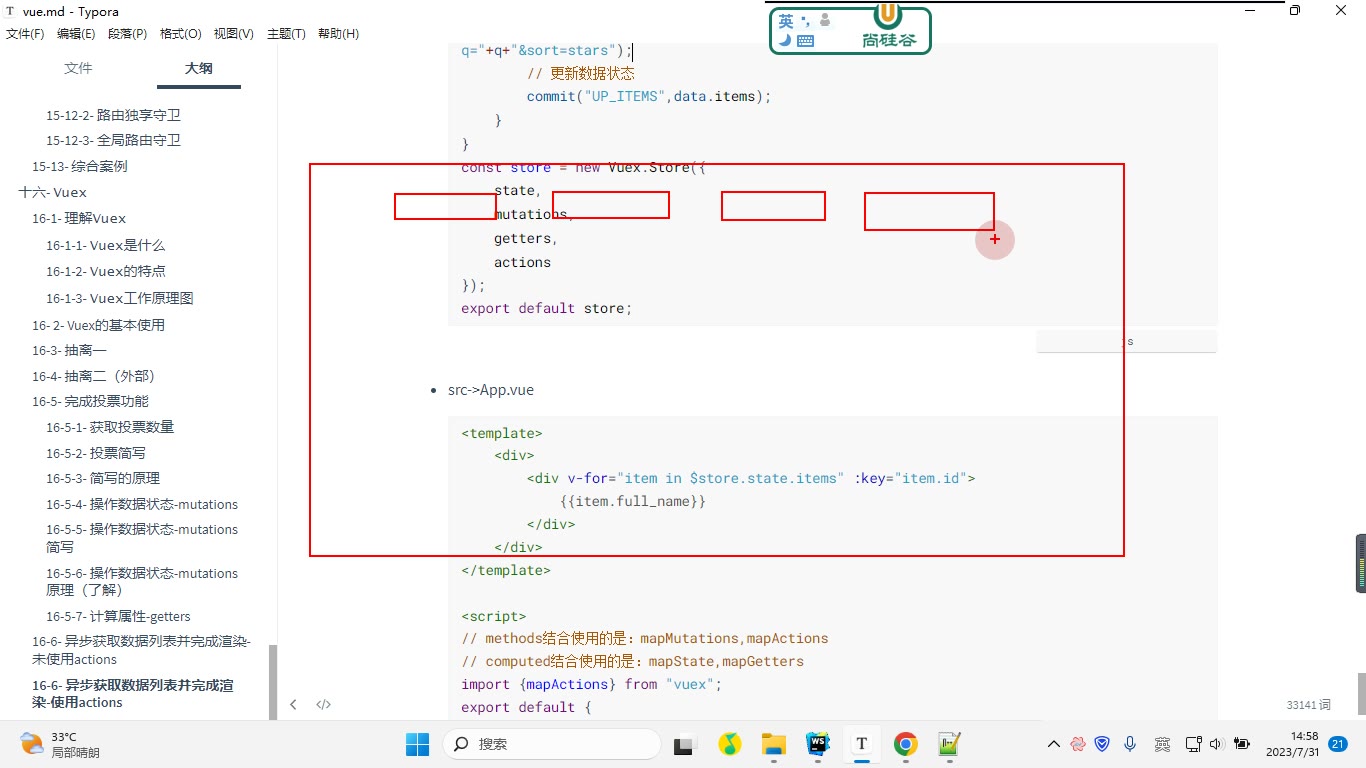
怎么做:在 src/store/index.js 中定义 state.items、mutations.UP_ITEMS,并在 actions.getItems 里使用 axios 获取数据,最后 commit("UP_ITEMS", data.items)。本节笔记代码如下:
js
import Vue from "vue";
import Vuex from "vuex";
import axios from "axios";
Vue.use(Vuex);

const state = {
  items: []
};

const mutations = {
  UP_ITEMS(state, items) {
    state.items = items;
  }
};

const getters = {};

const actions = {
  async getItems({ commit }, q) {
    const { data } = await axios.get(
      "https://api.github.com/search/repositories?q=" + q + "&sort=stars"
    );
    commit("UP_ITEMS", data.items);
  }
};

const store = new Vuex.Store({
  state,
  mutations,
  getters,
  actions
});

export default store;易错点:actions 的第一个参数一般命名为 context,它里面有 commit、dispatch、state、getters。转写稿里调试时能看到这些属性;其中 state 可以获取,但不建议在 action 里直接修改,否则就绕过了 mutation,违背“各司其职”的集中管理思路。第二个参数是 payload,只能接一个荷载;想传多个参数时要传对象。转写稿里在后面继续写 b,c,d 是收不到的。
组件里如何触发 action:dispatch 与 mapActions
为什么需要:action 定义好后,组件必须能调用它。最直接的是 this.$store.dispatch("getItems", "react"),但模板里方法多了以后,写完整路径比较啰嗦,所以 Vuex 提供 mapActions 把 action 映射成组件方法。
怎么想:mapActions(["getItems"]) 相当于在 methods 里生成 getItems(payload){ this.$store.dispatch("getItems", payload) };对象写法 mapActions({ one: "getItems" }) 则生成 one(payload){ this.$store.dispatch("getItems", payload) }。转写稿中最终在 mounted 里调用 this.one("react"),效果与 this.$store.dispatch("getItems","react") 一致。
怎么做:本节 App.vue 代码如下:
vue
<template>
  <div>
    <div v-for="item in $store.state.items" :key="item.id">
      {{ item.full_name }}
    </div>
  </div>
</template>

<script>
import { mapActions } from "vuex";

export default {
  name: "App.vue",
  methods: {
    ...mapActions(["getItems"]),
    ...mapActions({
      one: "getItems"
    })
  },
  mounted() {
    // this.$store.dispatch("getItems", "react");
    // this.getItems("react");
    this.one("react");
  }
};
</script>易错点:mapActions 要和 methods 结合使用;mapState、mapGetters 才和 computed 结合。转写稿里还提醒:mounted 执行时视图已经渲染完成,请求回来更新 state 后会触发重新渲染,不要把“先渲染再更新”误认为请求失败。调试时可先确认 action 是否被调用、payload 是否为 "react"、commit 是否执行、state.items 是否变化。
小结:actions 的定位
为什么需要:Vuex 管理的不只是普通数据,还包括同步更新方法和异步行为。mutations 负责同步改状态,actions 负责异步流程并最终提交 mutation。
怎么想:组件不直接改 state,而是 dispatch action;action 拿到数据后 commit mutation;mutation 再改 state。
怎么做:按“定义 action → 组件 dispatch → action 请求 → commit → mutation 更新 → 视图渲染”的顺序写。
易错点:action 名、mutation 名要对应;payload 只传一个;不要在 action 里直接改 state;简写映射后要确认方法名没有冲突。
从 TodoList 收束:Vuex 到底在管理什么
这一节先把 TodoList 的主体和底部收尾,再引出 module。转写里反复出现的“我有叉”应纠正为 Vuex,“mon gather”是 mutation,“geers”是 getters,“X / actions”是 actions。
为什么需要:组件之间不想再来回传参,状态要集中管理。
怎么想:把“数据状态、同步修改、派生计算、异步行为”分开。
怎么做:TodoList 中用 state 存列表,用 mutation 改列表,用 getters 算“选中数量/全部数量”,用 actions 放异步请求。
易错点:不要在组件里直接改 state;mutation 只做同步修改;getters 依赖 state 或其他 getters。
actions:为什么异步行为要集中管理
为什么需要:在 mounted 里写 axios.get 再赋值,只能服务当前组件;别的组件也要请求时,代码会重复。
怎么想:Vuex 不只管理字符串、数值,也管理方法和异步行为。异步请求放进 actions,请求完成后再 commit 给 mutation 更新状态。
怎么做:转写中的流程可以整理为:
js
// store/index.js
import { createStore } from 'vuex'
import axios from 'axios'

export default createStore({
  state: {
    items: []
  },
  mutations: {
    opItems(state, items) {
      state.items = items
    }
  },
  actions: {
    async getItems({ commit }, q) {
      const res = await axios.get('接口地址?q=' + q)
      commit('opItems', res.data.items)
    }
  }
})组件挂载后调用:
js
mounted() {
  this.$store.dispatch('getItems', 'react')
}调试时先 console.log(res.data),确认响应体里是 data.items 还是直接 items,再决定 commit 传什么。转写里就出现过“先打印响应体,再确认赋值层级”的过程。
易错点:dispatch 第一个参数是 action 名字,第二个参数是 payload;后面再传多个参数是拿不到的,要传对象。只定义 action 不调用,状态不会变。
mapActions 与简写:少写重复 dispatch
为什么需要:每次 this.$store.dispatch('getItems') 太长,组件多时重复。
怎么想:mapActions 把 action 映射成组件方法,本质仍是帮你调用 dispatch。
怎么做:
js
import { mapActions } from 'vuex'

export default {
  methods: {
    ...mapActions(['getItems'])
  },
  mounted() {
    this.getItems('react')
  }
}也可以写成对象形式起别名。转写中强调:mapActions 相当于生成了一个方法,方法内部执行 this.$store.dispatch('getItems', payload)。
易错点:mapActions 要和 methods 合并;mapGetters 要和 computed 合并;mapMutations 也是映射到 methods。不要把 mapActions 放进 computed。
用商品案例引出 module:先搭路由和业务需求
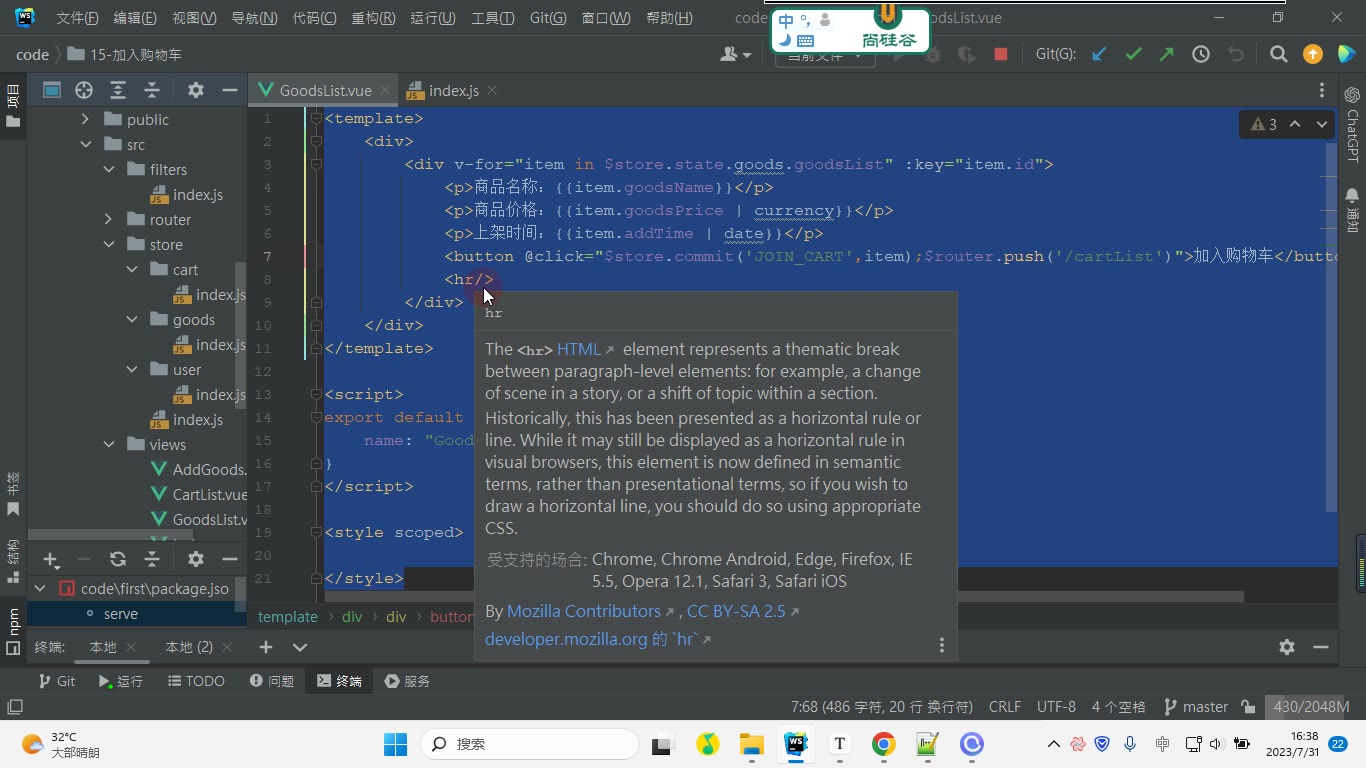
为什么需要:单文件 store 写 TodoList 还行,业务一复杂就会堆在一起。转写最后没有立刻展开完整 module 代码,而是先用“添加商品、商品列表、购物车、个人中心、登录”案例铺垫。
怎么想:登录页没有导航,其他页面有导航,所以用嵌套路由:外层 Index 放导航和 router-view,子路由放业务页面;登录页单独配置。业务上还规定:未登录时进入个人中心、购物车、点击加入购物车/添加商品,要跳登录。
怎么做:路由结构可整理为:
js
const routes = [
  { path: '/login', component: Login },
  {
    path: '/',
    component: Index,
    children: [
      { path: '', component: AddGoods },
      { path: 'goods', component: GoodsList },
      { path: 'cart', component: Cart },
      { path: 'me', component: Me }
    ]
  }
]Index.vue 中放导航和出口:
html
<router-link to="/" active-class="active">添加商品</router-link>
<router-link to="/goods" active-class="active">商品列表</router-link>
<router-view></router-view>易错点:子路由要在一级路由组件里写 router-view;router-link 的选中样式用 active-class;路径拼接要准确。这里的需求划分,正是后面按“商品、购物车、用户”拆 module 的依据。本节先完成路由和业务边界,module 的具体拆分再顺着案例继续推进。
课堂画面
代码示例
1. src/store/index.js —— 定义 state / mutations / getters / actions
js
import Vue from "vue";
import Vuex from "vuex";
import axios from "axios";
Vue.use(Vuex);

// 数据状态
const state = {
	items: []
};

// 同步更新状态方法
const mutations = {
	UP_ITEMS(state, items){
		state.items = items;
	}
};

// 计算属性
const getters = {

};

// 异步行为:
// actions是一个对象,对象的属性名即是action的名字,类型是一个函数,
// 该函数可以通过 $store.dispatch('action的名字', payload) 调用。
const actions = {
	// getItems是action的名字
	// 第一个参数一般命名为 context,是一个对象,该对象中拥有store中常用的方法和属性
	// context->state 在此处可以获取,但不建议修改。
	// dispatch:调用actions下的方法
	// commit: 调用mutations下的方法
	// state:获取state下的数据
	// getters:获取getters中定义的计算属性。
	//
	// 第二个参数一般命名为 payload,荷载数据。
	async getItems({ commit }, q){
		// 获取数据
		const { data } = await axios.get("https://api.github.com/search/repositories?q=" + q + "&sort=stars");
		// 更新数据状态
		commit("UP_ITEMS", data.items);
	}
};

const store = new Vuex.Store({
	state,
	mutations,
	getters,
	actions
});

export default store;关键行与易错点
Vue.use(Vuex)必须在new Vuex.Store之前执行,漏写会直接报错。async getItems({ commit }, q)中用的是解构,第一个参数是context对象,只取其中的commit;写成getItems(commit, q)就拿不到方法了。context.state能拿到数据但不建议直接改(转写稿明确:能修改,但不正规),改状态必须走commit("UP_ITEMS", ...),否则 DevTools 里看不到状态变更轨迹。commit里写的"UP_ITEMS"必须和mutations中定义的方法名完全一致,大小写错一个字母就不生效且不报错。- axios 返回的响应体是
res.data,仓库列表在res.data.items,所以是const { data } = await axios.get(...)后再取data.items。 - action 的第二个参数
payload只能有一个,需要传多个值时要包成对象传。
2. src/App.vue —— 组件中 dispatch 触发 action 并渲染
vue
<template>
	<div>
		<div v-for="item in $store.state.items" :key="item.id">
			{{item.full_name}}
		</div>
	</div>
</template>

<script>
// methods结合使用的是:mapMutations,mapActions
// computed结合使用的是:mapState,mapGetters
import {mapActions} from "vuex";
export default {
	name: "App.vue",
	methods:{
		...mapActions(["getItems"]),
		// 相当于:
		// ...{
		//     getItems(payload){
		//         this.$store.dispatch("getItems",payload)
		//     }
		// }

		...mapActions({
			one:"getItems"
		}),
		// 相当于:
		// ...{
		//     one(payload){
		//         this.$store.dispatch("getItems",payload)
		//     }
		// }
	},
	mounted(){
		// 第一个参数是action的名字。作用:调用store->index.js->actions->getItems,传递参数react
		// 1- 未简写
		// this.$store.dispatch("getItems","react");
		// 2- 简写
		// this.getItems("react");
		// 3- 简写
		this.one("react");
	}
}
</script>

<style scoped>
</style>关键行与易错点
mapActions要展开在methods里,mapState/mapGetters才是展开在computed里,放错位置会报 "is not a function"。- 三种调用方式等价:
this.$store.dispatch("getItems","react")、this.getItems("react")、this.one("react");one是重命名写法,dispatch里传的仍然是"getItems"这个原名。 - 在
mounted里发请求:此时视图已经渲染完成,数据回来commit更新 state 后会触发重新渲染,所以模板里不会先有内容——这是正常流程。 - 模板里直接
$store.state.items能用,但更规范的是配合mapState或getters;v-for一定要写:key="item.id"。 ...mapActions(["getItems"])和...mapActions({one:"getItems"})同时写会重复注入同一个 action(笔记中是为演示两种写法),实际项目里二选一。- 易错点:
dispatch是调 action,commit是调 mutation,混用会出现"commit 找不到方法"或"状态不更新"。
3. src/main.js —— 把 store 挂到根实例(缺了它 $store 为 undefined)
js
import Vue from "vue";
import App from "./App.vue";
import store from "./store";

Vue.config.productionTip = false;

new Vue({
	store,
	render: h => h(App)
}).$mount("#app");关键行与易错点
new Vue({ store })这一步是组件里能用this.$store/$store.state的前提,漏写则所有组件内$store都是undefined。import store from "./store"默认导入的是store/index.js里export default store的实例,不要再new Vuex.Store()一次,否则组件用的和你改的不是同一个仓库。- 依赖要装齐:
npm i vuex axios,缺axios时 action 里会直接报模块找不到。
常见错误
现象:action 里数据明明拿到了,页面却一直空白,Vue Devtools 里也看不到这次状态变化。 原因:在 action 中直接写
context.state.items = data.items,绕过了 mutation;严格模式下还会直接抛错。 修法:action 只负责"取数据",改状态一律commit("UP_ITEMS", data.items),让 mutation 做唯一入口。现象:
this.$store.dispatch("getItems","react")之后紧接着console.log(this.$store.state.items),打印出来是空数组。 原因:action 是异步的,dispatch返回 Promise,后面的同步代码先执行完了。 修法:await this.$store.dispatch(...)或.then()里再取值;渲染层面则依赖 computed/mapState 自动更新,不要在 dispatch 后面直接读状态。现象:
...mapActions(["getItems"])写进computed后,模板里调用getItems()报 "is not a function"。 原因:mapActions生成的是方法,mapState/mapGetters生成的才是计算属性,放错选项就失效。 修法:mapActions放methods,mapState/mapGetters放computed。现象:对象写法
...mapActions({ getItems: "one" }),调用this.getItems("react")提示找不到 action。 原因:键值写反了。键是"组件里的方法名",值是"store 里的 action 名"。 修法:写成...mapActions({ one: "getItems" }),组件里用this.one("react")。现象:
dispatch("getItems", "react", 1, 20)传了四个参数,action 里只有第一个能收到。 原因:action 只接收一个 payload,多余实参被丢弃。 修法:打包成对象dispatch("getItems", { q: "react", page: 1 }),action 里解构async getItems({commit},{q,page})。现象:在 mutation 里写
axios.get(...)或setTimeout,数据有时对有时错,Devtools 时间旅行回放后状态乱掉。 原因:mutation 必须是同步纯函数,异步回调触发时 Devtools 已记录完快照。 修法:请求/定时器全部挪到 action,mutation 里只留一行同步赋值。现象:
this.$store是 undefined,或state.items报 "Cannot read property of undefined"。 原因:main.js里new Vue({...})忘了传store,或 state 里没给items初始值。 修法:入口挂载store,state 中给items: []这类兜底初始值,v-for前不至于炸。
练习
把笔记里的
getItems改成支持分页:dispatch("getItems", { q: "react", page: 2 }),action 内拼接到请求 URL,并用await在组件里打印"请求完成"的时机,验证异步顺序。用
mapActions的两种写法各实现一遍同一个搜索动作,再故意把键值写反一次,观察控制台报错信息并说出区别。给 store 加一个
loading状态:action 开始时置 true、结束时置 false,页面用mapState显示"加载中…",全程不允许在组件里直接改 store 状态。用 modules 拆出
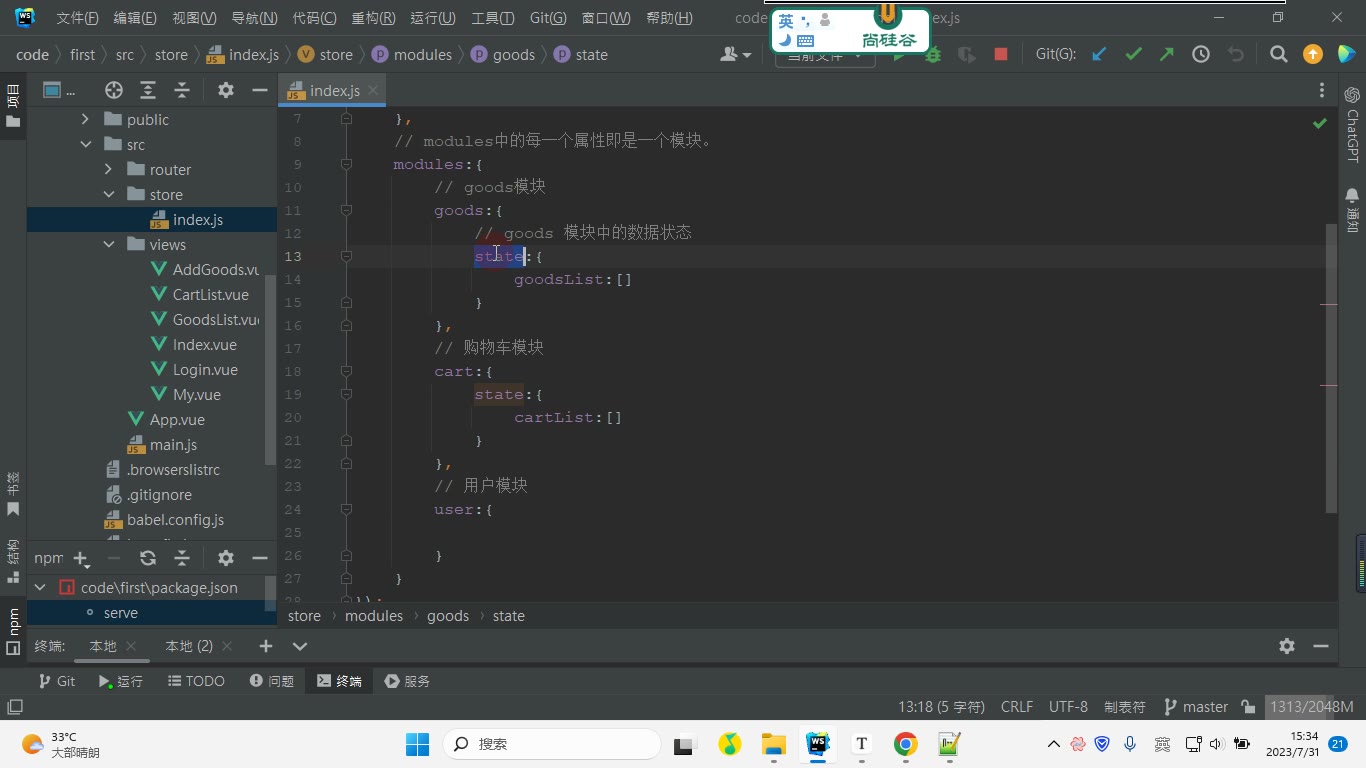
goods与cart两个模块,cart的 action 里需要读取goods的列表长度,写出正确的rootState取值方式。在 todoList 案例中把"清除已完成"从组件里的 filter 改写为 action + mutation 组合,要求点击后状态与视图同步更新且 Devtools 可回放。
原视频对照
| # | 视频 | 时长 |
|---|---|---|
| 1 | 完成主体 | 09:09 |
| 2 | 完成底部 | 13:38 |
| 3 | 使用简写完成todoList | 06:42 |
| 4 | 渲染数据列表未使用actions | 11:38 |
| 5 | 异步获取数据列表并完成渲染-未使用actions | 31:44 |
| 6 | 搭建路由 | 20:16 |
小结
判断代码放哪的硬标准:会不会异步 —— 会异步进 action,只做同步赋值进 mutation,组件永远不直接写 state。
dispatch是异步的,凡是"调用完立刻读结果"的写法都是错的,要么 await,要么交给 computed 响应式渲染。mapActions属于 methods,mapState/mapGetters属于 computed,这条记不住就会反复踩同一个坑。对象形式的映射永远记"键=本地名、值=store 名",两种 map 写法规则一致。
action 只能接一个 payload,需要多参数一律打包成对象,这既解决丢参也让签名可扩展。
context.state只读不改,它存在的意义是让你在 action 里做判断(如取当前列表长度),而不是替代 mutation。用 modules 后,模块内的 state/getters 是局部的,跨模块访问必须走
rootState/rootGetters。数据从"组件私有"上移到"仓库集中",换来的不只是复用,还有 Devtools 可回放、可调试——这才是用 Vuex 的真正理由。