主题
react工程化项目目录结构分析与项目目录精简(Day4 3/4)
本页对应 React + TypeScript + 医通项目,共 5 段视频,约 52 分钟。
学习目标
- 能够说明类组件挂载阶段
constructor、render、componentDidMount的执行顺序,并验证constructor与componentDidMount仅执行一次。 - 能够使用
componentDidMount结合setInterval、箭头函数和setState实现电子时钟,并解释生命周期函数中this的指向。 - 能够列举
componentDidUpdate的触发条件(setState、forceUpdate、新props),并通过运行结果验证更新阶段render后执行componentDidUpdate。 - 能够说明
componentWillUnmount的执行时机,并在组件卸载前完成定时器、订阅或自定义事件等清理操作。 - 能够使用组件实例自定义属性保存定时器 ID,在
componentWillUnmount中调用clearInterval,验证条件渲染切换时不会产生多个定时器或内存泄漏。 - 能够分析 React 工程化项目目录结构,并按规范完成项目目录精简。
知识点
先明确本节要解决的问题
React 脚手架创建项目后,根目录会生成一堆文件和文件夹。初学者最常见的问题不是“不会写组件”,而是“不知道哪个文件能改、哪个文件不能动、入口到底在哪里”。所以本节的目标是:看懂 02-react-scaffold 的工程化目录结构,建立“public 是静态资源、src 是开发目录、根目录配置管工程”的基本认知。
为什么需要先看目录?因为后面写组件、引样式、放图片、跑测试、打包部署,都会和这些目录发生关系。怎么想?不要一上来背文件名,而要先分清三类内容:工程配置、静态资源、业务源码。怎么做?先看完整目录树,再按启动链路读一遍。易错点:把 node_modules 当源码改、把 public 和 src 混用、不知道 index.html 与 index.js 各自负责什么。
本节笔记中的目录树如下,保留原代码:
shell
02-react-scaffold                          项目根目录
    |- node_modules                        npm包目录
    |— public                              静态资源目录
    |    |- favicon.ico                    站点图标
    |    |- index.html                     网站的入口html文件
    |    |- logo192.png                    移动端图片
    |    |- logo512.png                    移动端图片
    |    |- manifest.json                  移动端图标的配置文件
    |    |- robots.txt                     爬虫文件
    |- src                                 程序员开发目录
    |   |- App.css                         根组件的样式文件
    |   |- App.js                          根组件App
    |   |- App.test.js                     测试文件
    |   |- index.js                        js的入口文件
    |   |- index.css                       入口文件的样式文件
    |   |- logo.svg                        旋转的菊花图标
    |   |- reportWebVitals.js              google的报告文件
    |   |- setupTests.js                   测试启动文件
    |- package-lock.json                   包版本锁文件
|- package.json 包配置文件根目录:先分清“依赖、配置、源码”
为什么需要看根目录?因为根目录决定项目怎么安装依赖、怎么启动、怎么打包。怎么想?把根目录文件分成“不要手改的依赖目录”和“需要理解的配置文件”。怎么做?先记住 node_modules 是 npm 包目录,是安装依赖后生成的,不是业务代码;package.json 是包配置文件,记录项目依赖和脚本;package-lock.json 是包版本锁文件,用来锁定依赖版本。易错点:不要直接改 node_modules,因为重新安装依赖后修改会丢失;不要把 package-lock.json 当成普通缓存随便删,它影响依赖版本一致性。
public:静态资源目录,不是组件开发目录
为什么需要 public?因为有些文件不需要经过模块打包,而是要作为站点静态资源直接提供给浏览器。怎么想?public/index.html 是网站的入口 HTML 文件,浏览器首先拿到它;favicon.ico 是站点图标;logo192.png、logo512.png 是移动端图片;manifest.json 是移动端图标的配置文件;robots.txt 是爬虫文件。怎么做?如果只是替换站点图标、调整 HTML 模板、放爬虫规则,可以关注这里。易错点:不要把所有业务图片都塞进 public;业务组件里通过模块方式引用的资源,通常放在 src 下由打包工具处理。还要注意:public/index.html 是 HTML 入口,不是 React 组件入口。
src:程序员开发目录,启动链路从这里展开
为什么需要 src?因为真正的 React 业务代码主要在这里。怎么想?按启动链路理解:浏览器加载 public/index.html,页面再加载打包后的 JS,JS 入口是 src/index.js,index.js 里渲染根组件 App,App.js 再组织其他组件。怎么做?先看 src/index.js 是 js 入口文件,src/App.js 是根组件 App,App.css 是根组件样式,index.css 是入口文件样式;logo.svg 是脚手架自带的旋转图标;App.test.js 是测试文件;setupTests.js 是测试启动文件;reportWebVitals.js 是 Google 的报告文件。易错点:不要以为 App.js 是 HTML 入口;不要把所有样式都写进 index.css;测试文件和报告文件初学阶段可以先认识,不必急着改。
按“启动链路”读目录,比死背文件名更有效
为什么建议按链路读?因为目录结构不是孤立的文件列表,而是一条启动路径。怎么想?可以这样推导:public/index.html 提供页面壳子 → src/index.js 作为 JS 入口 → 引入 App 根组件 → App.js 渲染页面内容 → 样式由 index.css、App.css 等参与。怎么做?学习时可以先改 App.js 里的一行文字,观察页面变化;再改 App.css 观察样式变化;这样能快速确认“源码入口在 src”。易错点:如果在 public/index.html 里写大量 React 逻辑,会偏离脚手架的组织方式;如果在 src 里找“网站入口 HTML”,也会找错对象。
与转写稿的关系说明
需要说明:给定的转写稿主要记录的是组件生命周期调试,包括 constructor、render、componentDidMount、componentDidUpdate、componentWillUnmount 等执行顺序和定时器清理案例,并不是对“react 工程化项目目录结构”的讲解。若把生命周期内容硬套进目录结构,会变成编造。因此本节以笔记中的目录树为准,只做目录结构分析;转写稿中的生命周期内容应放到对应生命周期章节使用。本节笔记也没有包含图片,故不添加图片占位。
本节说明
本节笔记标题为“项目目录精简”,但转写稿实际记录的是类组件生命周期:挂载、更新、卸载。为避免编造,本文按转写稿整理生命周期内容;目录精简部分转写稿未涉及,不展开。下面代码按口述整理为关键示例,图片部分原笔记未提供。
挂载阶段:constructor、render、componentDidMount
为什么需要:组件从创建到出现在页面中,要在固定时间点做初始化、发请求、开定时器等操作,不能靠手写顺序控制。
怎么想:转写稿用“出生”作比喻:constructor 是构造,render 是渲染落地,componentDidMount 是“出生后打屁股”,即挂载完成后执行。
怎么做:类组件中先 super(props),再定义状态;render 返回 JSX;componentDidMount 中开启定时器、发 Ajax、订阅消息、添加自定义事件。
易错点:constructor 和 componentDidMount 一般只执行一次;生命周期执行顺序由 React 的时间节点决定,不因你写在类中的位置而改变。
jsx
import React, { Component } from 'react';
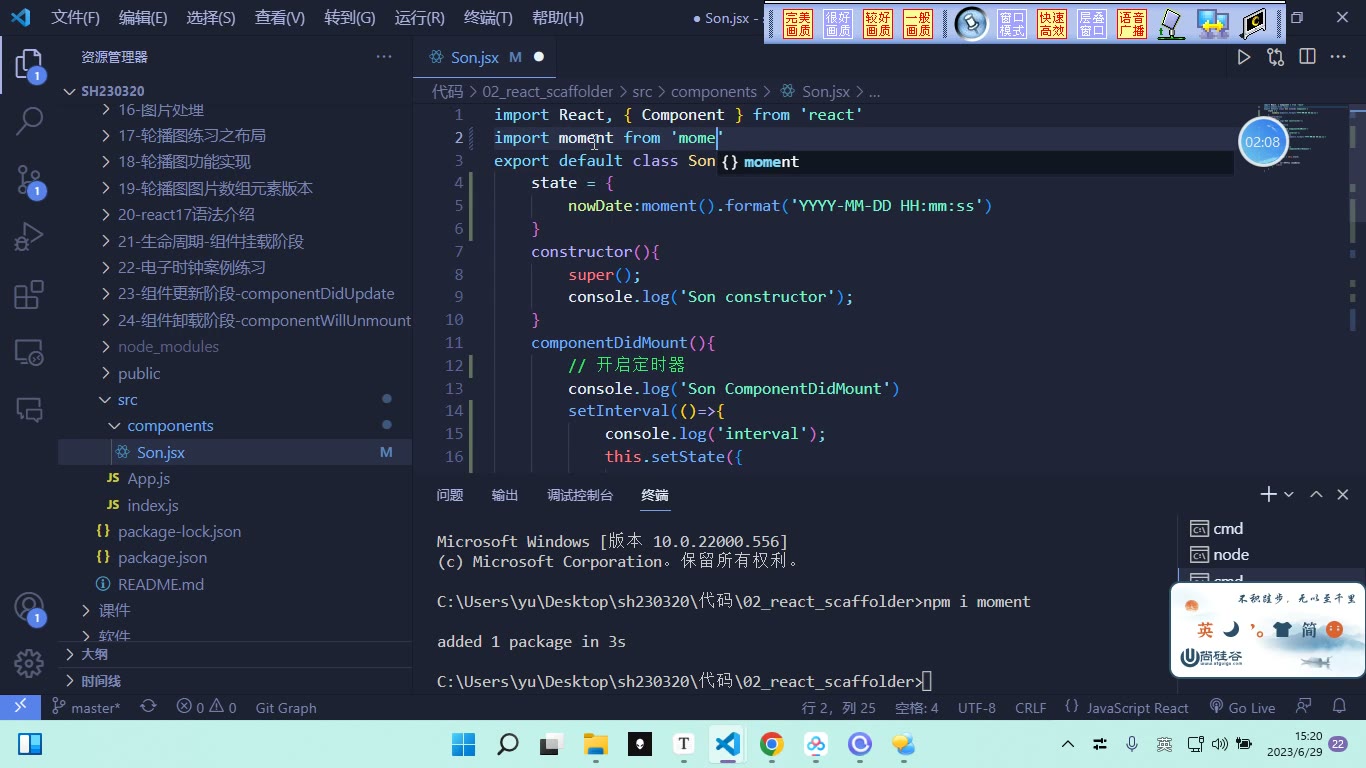
import moment from 'moment';

class App extends Component {
  constructor(props) {
    super(props);
    console.log('APP的constructor');
    this.state = {
      nowDate: moment().format('YYYY-MM-DD HH:mm:ss')
    };
  }

  componentDidMount() {
    console.log('APP的componentDidMount');
    this.timer = setInterval(() => {
      this.setState({
        nowDate: moment().format('YYYY-MM-DD HH:mm:ss')
      });
    }, 1000);
  }

  render() {
    console.log('APP的render');
    const { nowDate } = this.state;
    return <div>当前时间:{nowDate}</div>;
  }
}调试时控制台顺序是:constructor → render → componentDidMount。这说明挂载完成时,JSX 已经渲染成真实 DOM 并出现在页面中。
挂载实践:电子时钟与定时器
为什么需要:电子时钟需要每秒更新,手动点击不现实。
怎么想:定时器负责“每秒帮我改一次状态”,状态一变就重新渲染。
怎么做:setInterval 中必须用箭头函数,才能让 this 指向组件实例,从而调用 this.setState。
易错点:普通函数中的 this 不是组件实例;定时器 ID 要保存,便于卸载时清理。转写稿强调:生命周期函数由 React 在特定时间节点调用,里面的 this 指向当前组件实例。
更新阶段:componentDidUpdate
为什么需要:组件更新后可能要再次发请求、修改本地存储等。
怎么想:render 可被重复触发,componentDidUpdate 在更新完成后执行。触发 render 的三种情况是:新的 props、setState、forceUpdate。
怎么做:在 componentDidUpdate 中打印或执行副作用。
易错点:只要执行 setState,即使值没变,也会触发 render 和 componentDidUpdate;直接改 state 不会触发渲染,需要 forceUpdate 才会强制更新。
jsx
componentDidUpdate() {
  console.log('APP的componentDidUpdate');
}

// 直接改 state 不触发 render
this.state.nowDate = '固定值';

// 强制更新会触发 render,再触发 componentDidUpdate
this.forceUpdate();转写稿还演示了子组件:父组件更新时,子组件会重新 render,并触发子组件的 componentDidUpdate。因此不能简单理解为“只有 props 变化才更新子组件”。
卸载阶段:componentWillUnmount 与清理定时器
为什么需要:组件被条件渲染移除后,定时器可能还在跑,造成内存泄漏。
怎么想:挂载时开启的副作用,卸载时要反向清理:关定时器、取消订阅、解绑自定义事件。
怎么做:把定时器 ID 挂到 this.timer 上,在 componentWillUnmount 中 clearInterval(this.timer)。
易错点:不能用局部 let timer 跨函数作用域清理;应放到 this 自定义属性上。卸载生命周期在组件即将卸载前执行。
jsx
class S extends React.Component {
  constructor(props) {
    super(props);
    this.state = { nowDate: moment().format('YYYY-MM-DD HH:mm:ss') };
  }

  componentDidMount() {
    this.timer = setInterval(() => {
      this.setState({ nowDate: moment().format('YYYY-MM-DD HH:mm:ss') });
    }, 1000);
  }

  componentWillUnmount() {
    console.log('S的componentWillUnmount');
    clearInterval(this.timer);
  }

  render() {
    return <div>{this.state.nowDate}</div>;
  }
}嵌套组件与条件渲染的调试结论
转写稿给出的挂载顺序是:父 constructor → 父 render → 子 constructor → 子 render → 子 componentDidMount → 父 componentDidMount。因为父组件要渲染完成,必须先让子组件渲染并挂载完成。条件渲染如 q % 2 === 0 ? <S /> : null 可控制子组件挂载与卸载;每次重新出现会再次执行 constructor、render、componentDidMount,消失时执行 componentWillUnmount。调试重点是看控制台顺序和定时器是否只剩一个在运行。
课堂画面
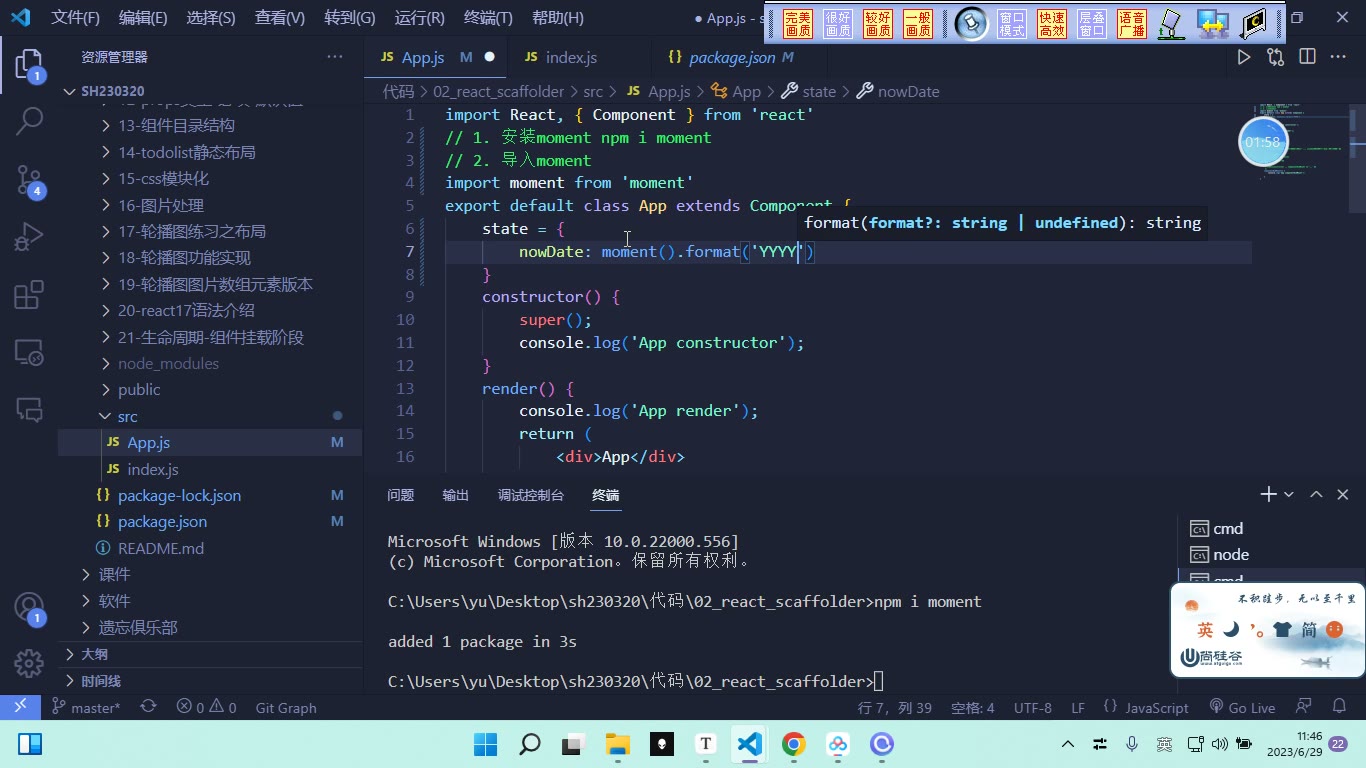
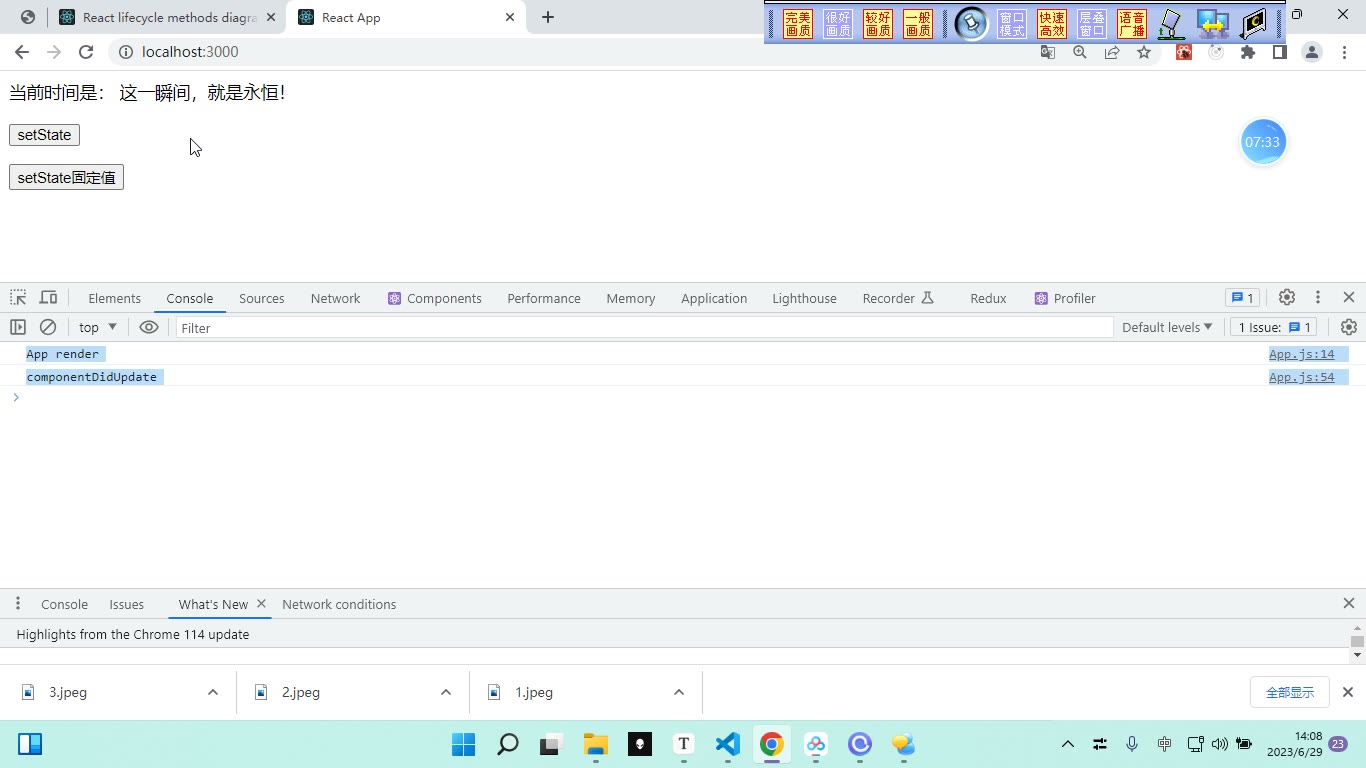
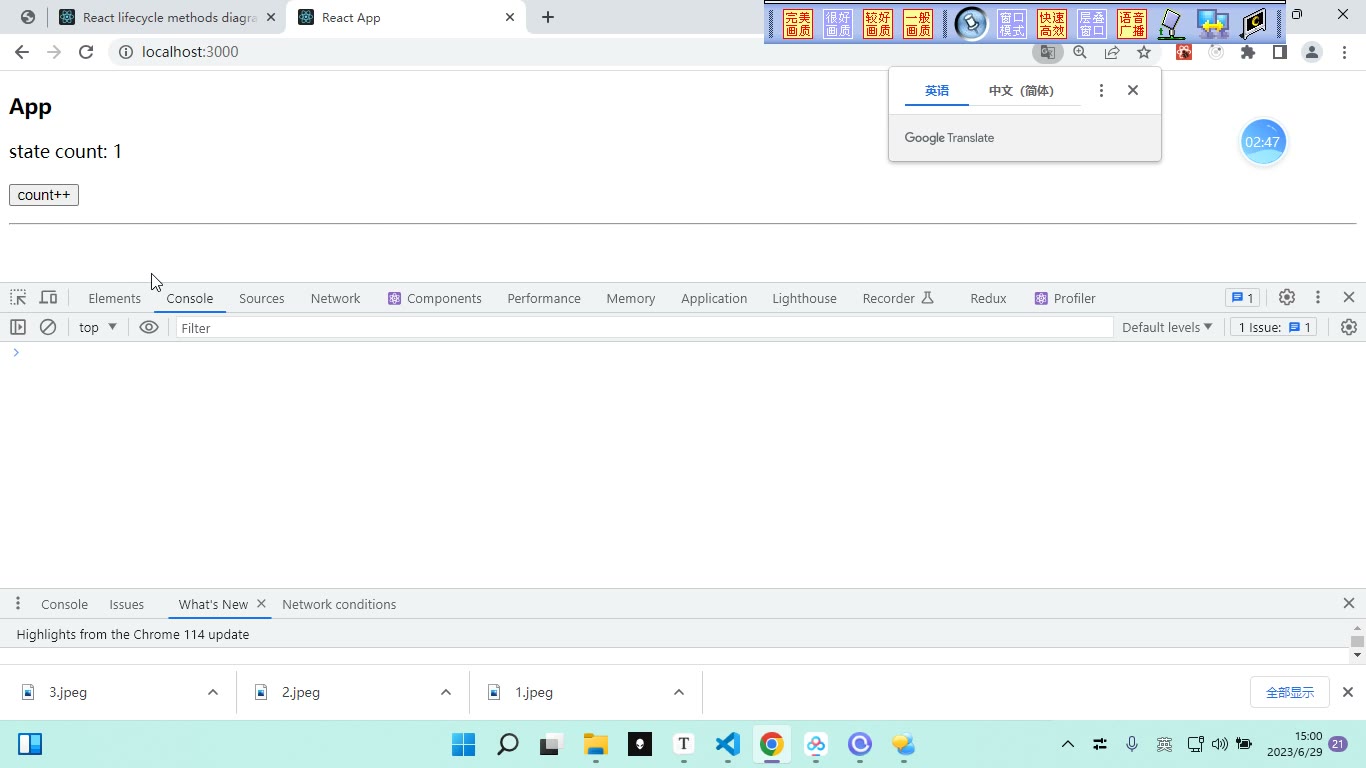
代码示例
代码段 1:挂载阶段三钩子 + 父子组件嵌套的执行顺序(src/App.js)
jsx
// 在脚手架项目 02-react-scaffold 中替换 src/App.js,index.js 保持默认渲染 <App /> 即可
import React, { Component } from 'react'

class Son extends Component {
  constructor() {
    super()
    console.log('Son 的 constructor')
  }

  render() {
    console.log('Son 的 render')
    return <h2>我是子组件 Son</h2>
  }

  componentDidMount() {
    console.log('Son 的 componentDidMount')
  }
}

export default class App extends Component {
  constructor() {
    super()
    console.log('APP 的 constructor')
  }

  render() {
    console.log('APP 的 render')
    return (
      <div>
        <h1>我是父组件 APP</h1>
        <Son />
      </div>
    )
  }

  componentDidMount() {
    console.log('APP 的 componentDidMount')
  }
}要点
- 子类
constructor里第一行必须super(),不调用就拿不到this。 - 控制台顺序固定为
constructor → render → componentDidMount,与你把这三个方法写在类里的先后位置无关——生命周期的时间节点是固定的(“不可逆”)。 - 有嵌套时顺序是:
APP constructor → APP render → Son constructor → Son render → Son componentDidMount → APP componentDidMount。子组件没渲染挂载完,父组件不可能挂载完成。 componentDidMount执行时,JSX 已经渲染成真实 DOM 出现在页面中了。constructor和componentDidMount一辈子只执行一次。
代码段 2:componentDidMount 开定时器做电子时钟 + componentWillUnmount 清定时器
jsx
// src/App.js   需要先安装依赖:npm i moment
import React, { Component } from 'react'
import moment from 'moment'

class Clock extends Component {
  constructor() {
    super()
    console.log('Clock 的 constructor')
    this.state = {
      nowDate: moment().format('YYYY-MM-DD HH:mm:ss')
    }
    // 定时器 id 放到自定义属性上,卸载时才能取到
    this.timer = null
  }

  render() {
    console.log('Clock 的 render')
    const { nowDate } = this.state
    return <h2>当前时间:{nowDate}</h2>
  }

  componentDidMount() {
    console.log('Clock 的 componentDidMount')
    this.timer = setInterval(() => {
      console.log('interval 执行了')
      this.setState({
        nowDate: moment().format('YYYY-MM-DD HH:mm:ss')
      })
    }, 1000)
  }

  componentWillUnmount() {
    console.log('Clock 的 componentWillUnmount')
    clearInterval(this.timer)
  }
}

export default class App extends Component {
  constructor() {
    super()
    this.state = { count: 0 }
  }

  render() {
    const { count } = this.state
    return (
      <div>
        <button onClick={() => this.setState({ count: count + 1 })}>
          点击 count 加加:{count}
        </button>
        {count % 2 === 0 ? <Clock /> : null}
      </div>
    )
  }
}要点
componentDidMount里常干的四件事:开启定时器、发送 ajax 请求、订阅消息、添加自定义事件。- 定时器 id 必须挂在
this上(this.timer = null在constructor里先占位)。如果写成componentDidMount里的let timer = setInterval(...),componentWillUnmount里根本取不到它(块级作用域),clearInterval(timer)会直接报错。 setInterval的回调必须是箭头函数:生命周期函数是 React 在特定时间节点帮你调用的,里面的this指向当前组件实例;箭头函数没有自己的this,才能用this.setState改状态。写成普通function就改不动了。componentWillUnmount里做的是挂载时的“相反操作”:清定时器、取消订阅、解绑自定义事件。ajax 请求发出去收不回来,所以它没有相反操作。- 不清定时器的后果:组件已卸载、函数执行栈已释放,但定时器还在跑,造成内存泄漏;反复挂载卸载会累积多个定时器。
- 条件渲染
count % 2 === 0 ? <Clock /> : null:奇数时不渲染,Clock被卸载,触发componentWillUnmount;再点回偶数会重新走一遍constructor → render → componentDidMount。
代码段 3:更新阶段 componentDidUpdate(setState / 固定值 / forceUpdate / new props)
jsx
// src/App.js
import React, { Component } from 'react'
import moment from 'moment'

class Son extends Component {
  constructor() {
    super()
    console.log('Son 的 constructor')
  }

  render() {
    console.log('Son 的 render')
    const { nowDate } = this.props
    return <h2>子组件收到的 props:{nowDate}</h2>
  }

  componentDidMount() {
    console.log('Son 的 componentDidMount')
  }

  componentDidUpdate() {
    console.log('Son 的 componentDidUpdate')
  }
}

export default class App extends Component {
  constructor() {
    super()
    this.state = {
      nowDate: moment().format('YYYY-MM-DD HH:mm:ss')
    }
  }

  render() {
    console.log('APP 的 render')
    return (
      <div>
        <button
          onClick={() =>
            this.setState({ nowDate: moment().format('YYYY-MM-DD HH:mm:ss') })
          }
        >
          setState 当前时间
        </button>

        <button onClick={() => this.setState({ nowDate: '这一瞬间就是永恒' })}>
          setState 固定值
        </button>

        <button onClick={() => this.forceUpdate()}>forceUpdate 强制更新</button>

        <button
          onClick={() => {
            // 仅作演示:直接赋值 state 不会触发 render
            this.state.nowDate = '直接赋值不会重新渲染'
            this.forceUpdate()
          }}
        >
          直接赋值 + 强制更新
        </button>

        <Son nowDate={this.state.nowDate} />
      </div>
    )
  }

  componentDidMount() {
    console.log('APP 的 componentDidMount')
  }

  componentDidUpdate() {
    console.log('APP 的 componentDidUpdate')
  }
}要点
componentDidUpdate在更新阶段的render之后执行;挂载阶段不执行(刷新页面只会看到constructor → render → componentDidMount)。- 能触发
render重新调用的三种方式:setState、new props(新的外部数据)、forceUpdate。 - 只要执行了
setState,不管值变没变都会重新render,进而触发componentDidUpdate(点“固定值”按钮,值没变照样打印)。 - 父组件重新
render时,子组件会无条件重新render,即使props值没变,子组件的componentDidUpdate也会执行。 - 直接
this.state.nowDate = 'xxx'只是改了值、不会触发render,必须配this.forceUpdate()才强制更新(演示用,实际开发别这么写)。 componentDidUpdate的常见作用:数据更新后发送 ajax 请求、修改localStorage/sessionStorage。
常见错误
- 现象:把
componentDidMount写到constructor前面,误以为会先执行。→ 原因:生命周期执行时机由 React 固定,不受代码书写顺序影响。→ 修法:按“构造→渲染→挂载完成”理解执行节点,不要靠调整位置控制顺序。 - 现象:
componentDidMount中开启定时器,组件卸载后定时器仍在跑。→ 原因:未保存定时器 ID,或把 ID 放在局部变量/错误作用域中,componentWillUnmount取不到。→ 修法:挂到实例属性上,如this.timer = setInterval(...),卸载时clearInterval(this.timer)。 - 现象:
setState赋固定值后认为“值没变就不会渲染/不会触发componentDidUpdate”。→ 原因:只要调用setState就会触发更新流程,不以值是否变化为唯一前提。→ 修法:按更新流程判断,不要用“值变没变”替代“是否调用 setState”。 - 现象:父组件更新后,子组件
props没变却也执行了render和componentDidUpdate,误判为写错。→ 原因:父组件重新渲染时,子组件会跟着重新渲染。→ 修法:接受该行为;需要优化时再用shouldComponentUpdate/PureComponent/React.memo等控制。 - 现象:直接改
state后页面不更新,随后又误用forceUpdate掩盖问题。→ 原因:直接赋值不触发render,forceUpdate只是强制更新,不是正确修改状态方式。→ 修法:统一用setState更新状态;forceUpdate仅用于特殊场景演示或确有必要时。 - 现象:精简目录时删掉
public/index.html、src/index.js或误删测试/报告相关文件后项目启动异常。→ 原因:入口文件和脚手架依赖文件被破坏。→ 修法:先确认入口链路,只删无用样式/示例资源;入口文件、package.json、锁文件不要随意动。
练习
- 在类组件中实现电子时钟:挂载后每秒更新时间,卸载时清理定时器,并验证反复挂载/卸载后只有一个定时器在运行。
- 给父子组件分别加生命周期打印,记录首次挂载、父组件
setState、子组件收到新props三种场景下的执行顺序。 - 写一个按钮,分别用
setState设置固定值和用forceUpdate强制更新,观察render与componentDidUpdate的触发情况并说明差异。 - 基于给定目录结构,做一次“项目目录精简”:列出可删除文件、必须保留文件,并说明理由。
- 用条件渲染控制子组件显示/隐藏,在子组件卸载前后打印日志,并检查定时器、订阅或自定义事件是否完成清理。
原视频对照
| # | 视频 | 时长 |
|---|---|---|
| 1 | 组件挂载阶段 | 08:51 |
| 2 | 组件挂载-开启定时器-电子时钟案例 | 05:55 |
| 3 | 组件更新-componentDidUpdate | 22:40 |
| 4 | 组件卸载-componentWillUnmount | 08:23 |
| 5 | 组件卸载取消定时器案例练习 | 06:25 |
小结
- 生命周期看“执行时机”,不要看代码书写位置。
componentDidMount适合做挂载后的副作用初始化,但必须配好清理逻辑。- 定时器 ID 要放在组件实例可访问的位置,卸载阶段才能准确清理。
setState、新props、forceUpdate都会进入更新流程,判断时要看触发条件而不是凭感觉。- 父组件重新渲染会带动子组件重新渲染,子组件生命周期触发不等于
props一定变化。 - 卸载阶段的核心原则是“挂载时做了什么,卸载时做相反清理”。
- 工程目录精简要先保入口和配置,再删示例资源,避免破坏脚手架运行链路。